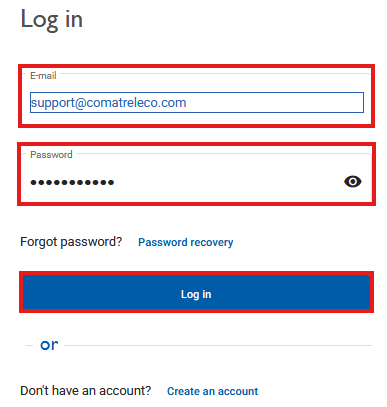
How can I reset my password for the IoT portal?
If you have forgotten your password for the IoT portal, you can use the “Reset password” function to set a new password for your account.
Procedure
- Open the IoT portal in your web browser or mobile app at iot.comatreleco.com.
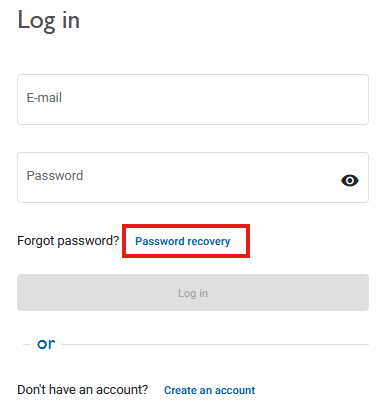
- Click “Reset password” in the login window.
-
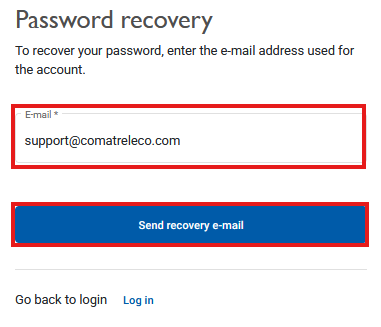
Enter your email address and click
“Send recovery email”.
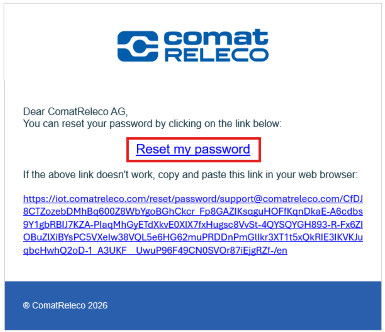
You will receive an email shortly from ComatReleco IoT Portal .
If you do not receive an email, please check:
- your spam folder,
- whether you used the email address associated with your account,
- for possible typing errors in the email address.
Set a new password
Open the email and click the link “Reset my password”.
A new window will open in your web browser or app.
Enter your new password and repeat it for confirmation.
Click “Update” to save the new password.
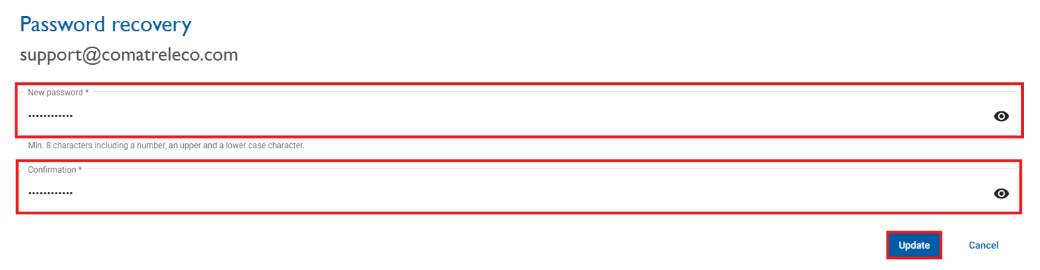
Password requirements:
- at least 8 characters,
- at least one number,
- at least one uppercase letter,
- at least one lowercase letter.
After successfully updating your password, you can log in to the IoT portal as usual.